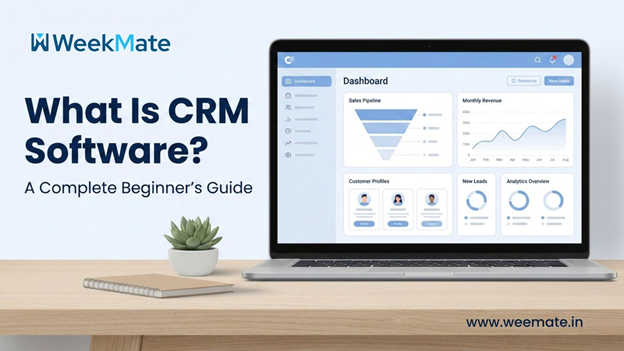
Recall the last time a company remembered your name, understood your preferences, or reached out to you at just the right time? That experience was no accident. There must have been a system behind the scenes to keep things organized. And that’s the answer to the question, “What is CRM software?” Anyone running or building a business today needs to know.
According to Salesforce, 88% of customers say the experience a company provides is as important as its products or services. Meeting these expectations requires structure, visibility, and smart tools.
Now, customers want quick responses, customised communications, and a consistent service experience, whether they’re emailing, calling, chatting, or engaging on social media. Whether you’re a solo founder or a team lead, manually tracking every conversation is no longer an option. This is why CRM software has become increasingly important for companies of all sizes, not just large enterprises.
What Is CRM Software?
If we break down the question, What is CRM software in simple terms? It is software that enables a business to manage its interactions with current customers, prospective customers, and sales leads on a single platform. CRM stands for Customer Relationship Management, and the goal is exactly what the term means: improving customer relationships in a more effective and organized way.
At its core, customer relationship management software stores customer details, tracks interactions, and records every touchpoint your business has with a customer. Instead of juggling spreadsheets, email threads, and personal notes, a CRM system serves as a single, reliable source of information accessible to the whole team.
A sales team, for instance, may use a CRM to record follow-up calls, whereas support teams report customer complaints and resolutions. Marketing teams can identify which emails were opened or which campaigns generated leads. Such cross-functional transparency is the primary reason CRM software is indispensable to business operations.
Key Features of CRM Software
Despite differences, most software applications include a standard set of CRM features designed to streamline your work and reduce uncertainty.
- Contact management forms the core of most CRM solutions, storing names, phone numbers, email addresses, transaction history, and past conversations in one place.
- Lead and deal tracking allows teams to instantly see the status of potential customers and ongoing opportunities.
- Sales pipeline management offers a clear visual view of deals as they move from initial enquiry to final closure.
- Email integration automatically syncs conversations, ensuring no communication is missed.
- Workflow automation reduces manual tasks by handling reminders, follow-ups, and routine actions.
- Reporting and analytics help measure performance and track progress against set goals.
- Customer support ticketing ensures queries and issues are logged, tracked, and resolved efficiently.
- Mobile app access in modern CRMs allows teams to manage customer data and tasks on the go.
With these CRM features combined, raw data is transformed into actionable insights.
Types of CRM Software
Knowing the different types of CRM can help a newcomer pick the perfect fit.
- Operational CRM focuses on automating day-to-day activities related to sales, marketing, and customer service.
- Analytical CRM is used to analyse customer data to understand behaviour, preferences, and market trends.
- Collaborative CRM enables different departments to share customer information, improving communication and coordination.
- Cloud-based CRM systems are accessed via the internet, offering flexibility, remote access, and easy scalability.
- On-premises CRM solutions are installed locally, giving organisations greater control over data but requiring higher maintenance and IT resources.
How CRM Software Works?
A CRM system runs continuously in the background, collecting data from web forms, emails, phone calls, and other customer interactions.
Once a website form is submitted, the salespeople’s dashboard retrieves all customer details, enabling them to prioritize the most important tasks.
Then automation takes the wheel. Email follow-ups are sent automatically; tasks are created, and reminders are set to ensure opportunities do not slip through the cracks.
Marketing, sales, and customer service teams share the same information, which is a great way to reduce errors and collaborate more effectively. This is the role a CRM plays in converting disorder into order.
Benefits of Using CRM Software
The true worth can be found in the benefits of CRM, which are by far beyond just simple organisation. Companies build stronger customer connections when communication fosters a sense of personalization and immediacy. The sales force becomes more productive when they focus on the right leads at the right time.
Efficient lead management rarely leads to missed opportunities, and customer service improves through faster query resolution. Decision-making becomes simpler with live analytics, while manual work is reduced through centralized data. One of the great benefits of CRM is scalability. Your business processes will grow if your business grows, even without problems.
Who Should Use CRM Software?
The short reply is: practically everyone. Small businesses need a CRM to track their activities, even without additional staff. Startups use it to develop predictable sales processes. Enterprises rely on CRM to maintain a shared understanding across their departments.
The sales force identifies and pursues deals; the marketing department is responsible for leads; and the customer service department handles clients. Even a CRM for small business can offer clarity of the kind you get in a large company, but without the complexity.
A recent report by Nucleus Research found that CRM applications deliver an average ROI of $8.71 for every dollar spent. That’s a strong reason businesses continue to invest in CRM tools.
Common Use Cases of CRM
Imagine leads from your website being instantly stored, tagged, and assigned. With no manual effort, follow-up messages are sent automatically. Sales managers can see the progress of the deal, while personal emails are a result of customer behaviour.
The support staff prevents customer churn by first reminding them of the service and then gathering their feedback. These instances demonstrate how CRM software is so integral to daily activities that it is hardly noticed.
| Department | Use Case | Business Impact |
| Sales | Lead Management & Routing | Instantly stores website leads and assigns them to the right rep, ensuring no “hot” lead goes cold. |
| Marketing | Automated Nurturing | Sends personalized email sequences based on user behavior (e.g., downloading a brochure) without manual input. |
| Sales | Pipeline Visibility | Managers can track the “age” and status of deals in real-time, identifying bottlenecks before they lose revenue. |
| Support | Proactive Retention | Triggers reminders to contact customers whose subscriptions are ending or who haven’t engaged recently. |
| Operations | Customer Feedback | Automatically sends surveys after a service interaction to gather data and prevent customer churn. |
| Management | Centralized Data Hub | Provides a “360-degree view” of a customer, showing every email, call, and purchase in one place. |
Choosing the Right CRM Software
Don’t make your decision lightly. In addition to the main features, choose a product that is not only easy to use but also highly customizable and well integrated with your existing tools. Ensure the price aligns with your growth plan, and that automation is a time-saver, not a source of complexity.
Other key features include mobile access and reporting capabilities. Some modern solutions, like WeekMate, focus on simplicity and user-friendliness, making them a good fit for teams that want to get the most out of their budget without being overloaded with features.
Examples of Popular CRM software
- Zoho CRM: A comprehensive, customizable, and affordable solution that is great for SMBs looking to automate and customize.
- Salesforce: The most powerful enterprise solution, with advanced customization options, deep analytics, and exceptional scalability.
- HubSpot CRM: With its straightforward, user-friendly interface, this CRM for small business is most suited for startups and teams focused on marketing.
- Freshsales CRM: A CRM that is centered on sales and that features built-in phone, email tracking, and AI-based insights for teams on the rise.
Issues Commonly Faced While Using CRM Software
- Complex installation: Novices are often overwhelmed by the features and configuration options they have to choose from.
- Bad onboarding: Not training your people to use a CRM tool is the equivalent of not using it.
- Mixed reaction to team leadership: Teams may oppose changes if the benefits are not clearly communicated and explained, and they begin to feel like an afterthought.
- Duplicate data: When data is not entered in a standardized manner, it creates multiple records for the same contact.
- Integration headaches: difficulties integrating CRM with existing tools (e.g., email and accounting software).
Solution: Overcoming issues is made easier by a clear onboarding process, role-based training, and a well-defined CRM usage strategy.
Final Words
If you have been asking yourself what is CRM software and whether it is really a good investment, the answer is obvious: it is an extremely powerful growth tool for today’s businesses. A well-chosen customer relationship management software enables the team to be more focused, respond to customers faster, and build meaningful, long-term relationships rather than just interacting with siloed data and guesswork.
Especially for those new to the business, a simple CRM system goes a long way. It makes sales follow-up a breeze, raises the bar for customer service, and creates a sense of order in the different teams – all this without causing any additional complexity or stress. Plus, the right CRM becomes your partner as your business expands, making it a wise choice for long-term success.
FAQs
1. What functions does CRM software have?
It is a customer data repository, interaction tracker, and sales and support process automator.
2. Can CRM help small businesses?
Definitely, it is an organisational tool for small teams and a way to level the playing field with larger competitors.
3. How does a CRM increase sales?
By effectively focusing on leads, automating follow-up, and providing a high-level view of the deal pipeline.
4. Which is the best CRM for beginners?
Cloud-based operational CRM tools are generally the most straightforward for a starter.
5. Which features should I be looking for in a CRM?
Contact management, automation, reporting, and ease of use are the key must-haves.
